
ai product video generator
AI Product Video Production with AI
Turn Product Assets Into A Repeatable Library Of Video Variations with an asset-to-ad workflow built for ecommerce teams.
Create your AI videoThe short answer
An AI product video generator turns existing product assets such as packshots and lifestyle images into a library of short video variations. Start with a catalog asset audit, pick one hero angle and one proof action, and route each requested variation to the model best suited to it. Prove the workflow on one SKU before rolling it across the feed, and measure catalog coverage and accepted outputs instead of how many clips were generated.
Key takeaways
- Audit catalog assets first, then choose one hero angle and one proof action per product.
- Go deep on one SKU before expanding the workflow across the whole product feed.
- Count accepted outputs and catalog coverage, not raw generation volume.
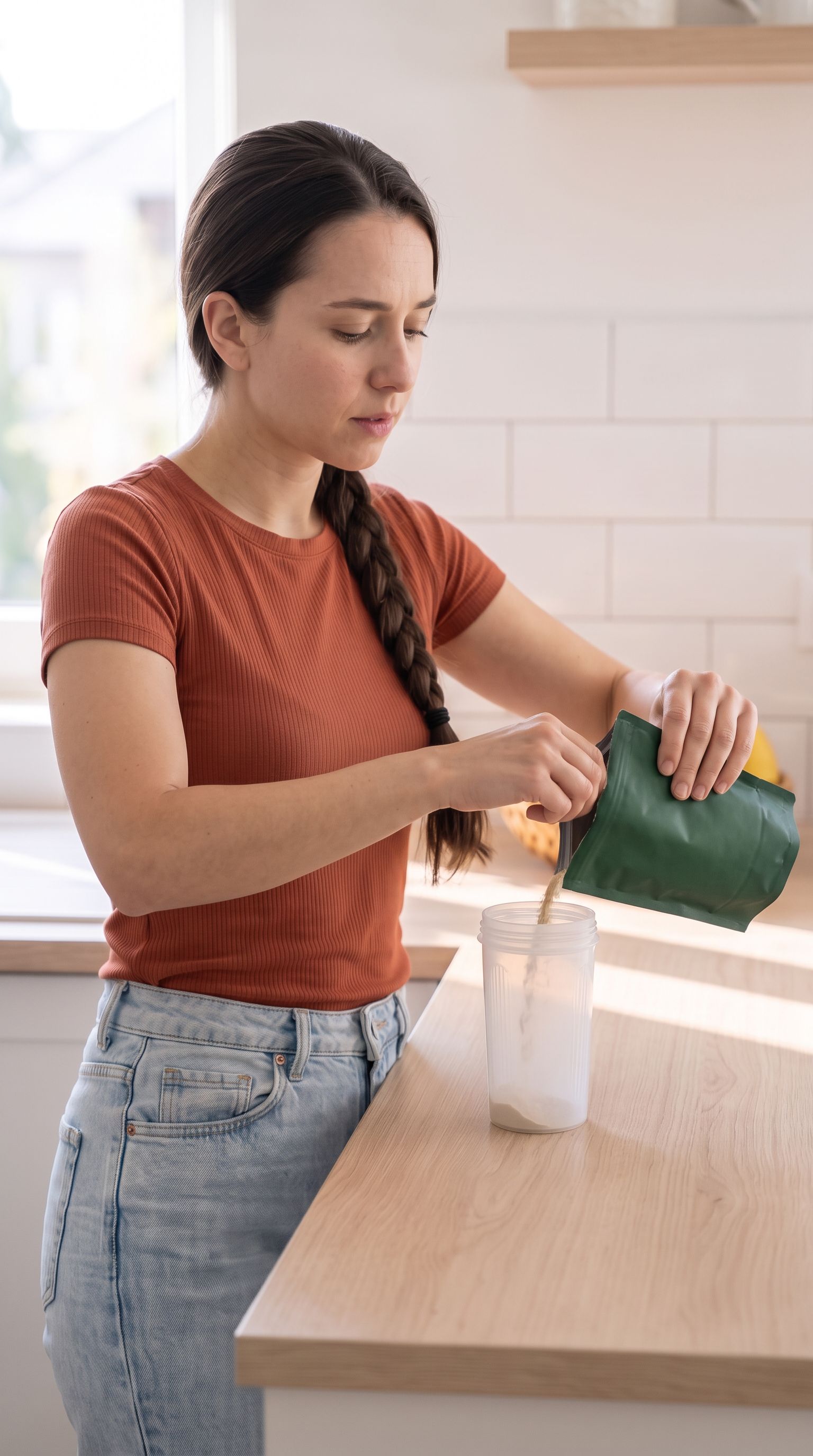
AI Product Video Production works best when the prompt behaves like a compact production brief. Start by deciding what the viewer must understand after a single watch. For ecommerce teams, that usually means one product truth, one visual action, and one emotional tone. A long list of cinematic adjectives cannot replace those decisions. The examples below give multiple AI video models a subject, a scene, a camera plan, and a clear finish so the output can be reviewed instead of merely admired.
Treat the first generation as evidence, not the final asset. Review subject consistency, motion, composition, lighting, legibility, and whether the result actually supports the asset-to-ad workflow idea. When something fails, revise the smallest responsible instruction. This preserves useful parts of the shot and prevents a prompt rewrite from introducing several new problems at once.
Ways to use this
- Plan AI product video production before spending generation credits.
- Create controlled variations for ecommerce teams.
- Review each output against a specific asset-to-ad workflow goal.
Page-specific creative brief for ai product video generator
Start from a catalog asset audit, choose one hero angle and one proof action, then route each requested variation to the model best suited to it.
Measure catalog coverage and accepted outputs rather than raw generation count; test one SKU deeply before expanding the workflow across the feed.
Plan the asset-to-ad workflow story before prompting
Write the intended viewer takeaway in plain language: turn product assets into a repeatable library of video variations. Then translate that takeaway into visible evidence. Decide what appears in the opening frame, what changes during the shot, and what the final frame proves. For AI product video production, every beat should support the same idea. Remove actions that look impressive but do not help the audience understand the product, workflow, or result.
Choose the delivery context before you choose the camera. A vertical paid-social placement needs a fast focal point, safe text space, and movement that reads on a phone. A landing-page demonstration can hold longer and show more procedural detail. Naming the destination helps multiple AI video models produce useful framing and gives your editor a clearer standard for accepting or rejecting the shot.
Control subject, scene, camera, and time
Describe the subject with stable physical details and repeat those details when continuity matters. Name only scene elements that affect the story. Then specify one primary camera behavior, such as a slow push-in, a locked tripod view, or a measured orbit. Competing camera instructions often create accidental motion and make it difficult to tell whether the model followed the important action.
Time instructions should explain the order of events. Use a simple sequence: opening state, motivated action, product or interface response, and resolved end frame. If dialogue or a creator performance matters, keep gestures small and purposeful. The objective is not maximum activity; it is an asset-to-ad workflow sequence that an editor can combine with captions, voiceover, and a call to action.
Use negative constraints as quality boundaries
Negative instructions are most valuable when they protect identity and usability. Ask for stable packaging, consistent hands, readable interface proportions, realistic material behavior, and no unexpected objects. Avoid massive generic exclusion lists. A short set of boundaries tied to known failure modes is easier to maintain and makes it clearer which instruction improved the next generation.
Claims also need boundaries. The visual can show a routine, workflow, texture, or product interaction, but it should not invent a customer result. This is especially important for teams working in regulated or high-trust categories. Keep evidence visible and specific, then let approved copy and landing-page context carry the claim that the business can substantiate.
Turn one accepted shot into a controlled test
Once the base shot works, save it as the control. Create separate variations for the opening hook, camera movement, pacing, voiceover, and on-screen text. Do not change all five at once. Controlled variation produces a useful creative system: each result teaches the team which variable helped, and winning elements can be recombined without rebuilding the entire concept.
VidMax can organize that process around reusable source media and repeatable creative structures. The goal is not to automate judgment away. It is to make each judgment cheaper and easier to reproduce. A strong ai product video generator workflow should leave the team with a clear prompt, an accepted control asset, documented variations, and a reason for the next test.
Who this is for
Best for
- Ecommerce teams with existing product imagery and a catalog to cover.
- Teams that want a repeatable variation library rather than one-off clips.
Not the right fit
- Brands without usable product photography to start from.
- Teams that measure success by clip count rather than accepted, on-brand outputs.
Costs, limits, and common mistakes
- Generating variations across many SKUs multiplies credit spend before any performance data arrives.
- Packaging and product details can drift in generated motion and must match the real item.
- Different models suit different variation types, so a single model rarely covers every request.
How we built this guide
Built from Runway's AI for Advertising course outline, which includes a product-shot module, and VidMax's asset-to-ad method, illustrated with VidMax first-party product-video keyframes.
Frequently asked questions
What makes a useful prompt for ai product video generator?
A useful prompt names the subject, audience, action, setting, camera behavior, lighting, timing, and exclusions. It gives multiple AI video models a production brief instead of a pile of adjectives.
How many variables should change between generations?
Change one major variable at a time whenever you are diagnosing quality. Lock the subject and environment before testing motion, then lock motion before comparing hooks or pacing.
Can VidMax turn these outputs into ad variations?
Yes. Use the generated shot as a controlled source asset, then create hook, voiceover, caption, and sequence variations around the same visual concept.